Capture the performance
Build your session from vocals, guitars, bass or other recorded instruments. Keep the musical idea close while the arrangement grows.

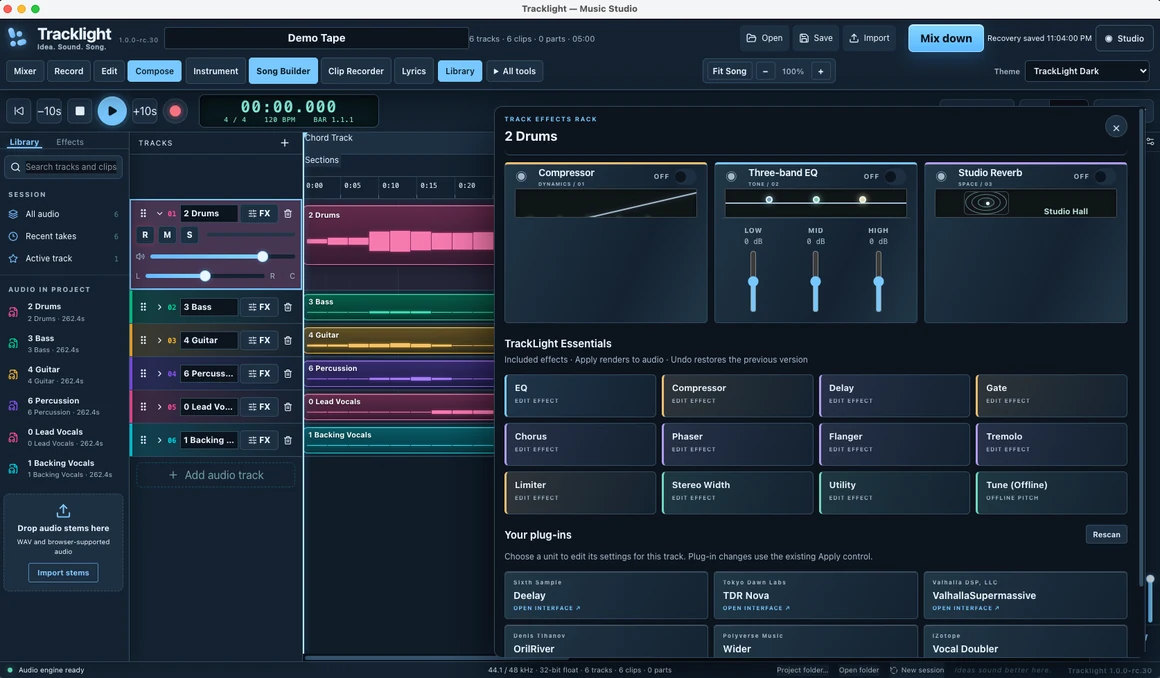
THE RECORDING WORKSPACE
Record a real performance, turn a MIDI idea into a part, and build the arrangement around it. TrackLight brings audio, virtual instruments, loops, lyrics, and mixing into one workspace built for songwriters and home studios.
Explore the current beta program for available builds and supported systems. Retail timing and pricing will be announced separately.
Release timing, pricing and final requirements will be announced when confirmed.
MAKE IT PART OF YOUR CREATIVE WORKFLOW
Record the part you hear in your head. Give every track its own character. Turn performances, virtual instruments and ideas into a song you can share.
TAKE A CLOSER LOOK
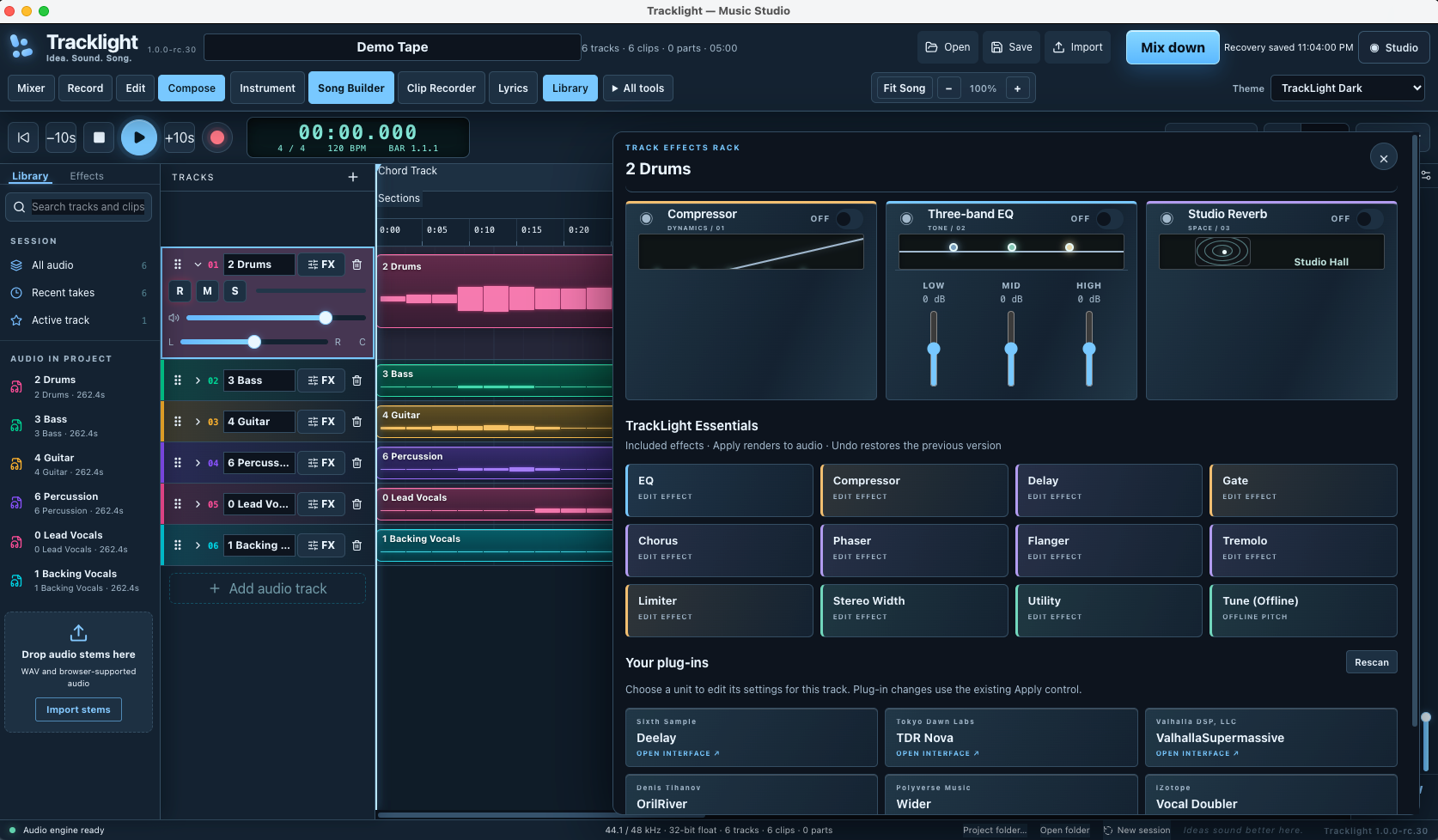
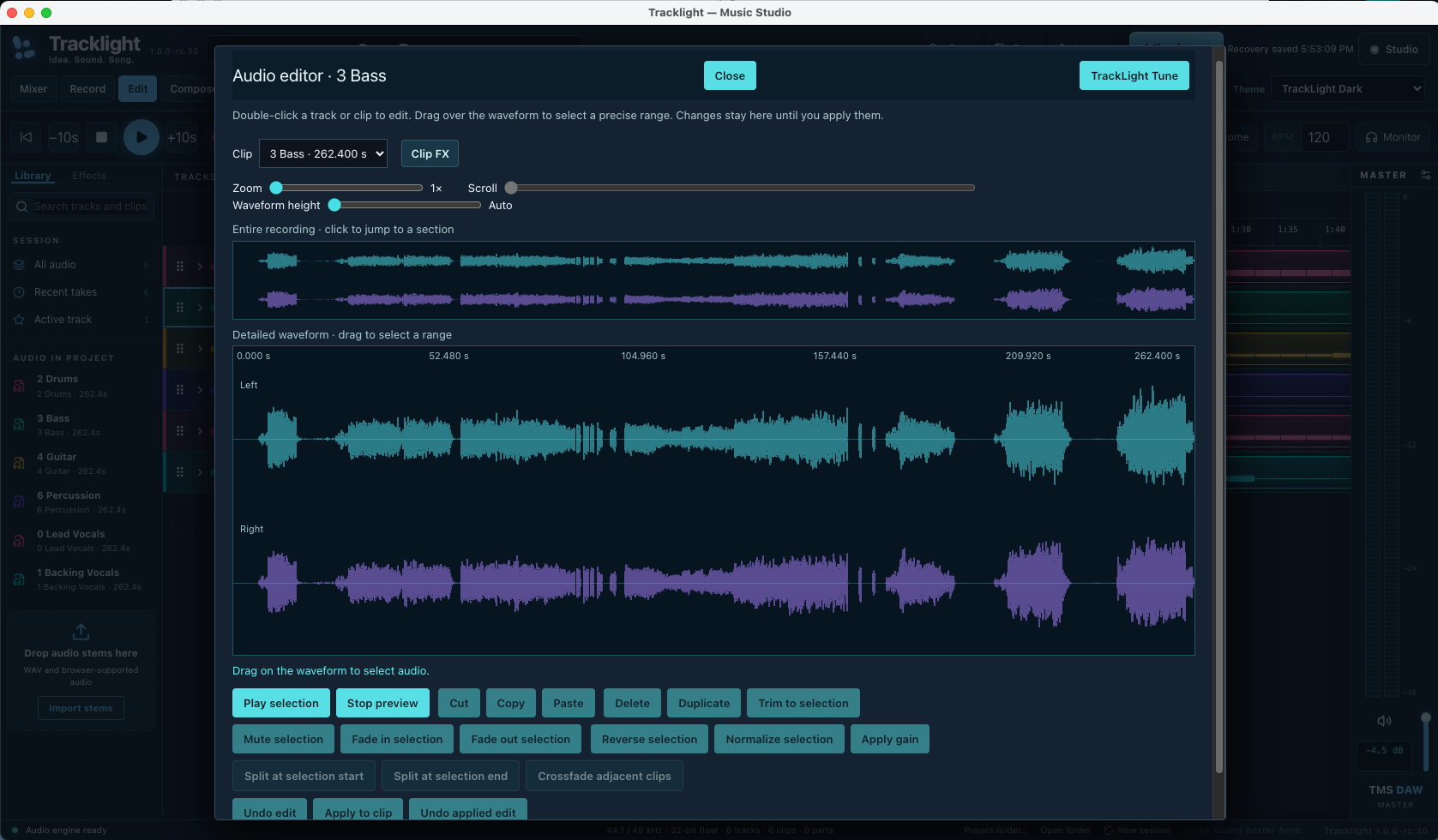
Open an image for a closer look. Development screenshots show the build as captured; the release interface may evolve.
 View larger ↗
 View larger ↗
 View larger ↗
 View larger ↗
THE TOOLS BEHIND THE MUSIC
Explore the features and workflows in the current product direction. Retail specifications will be confirmed before launch.
Build your session from vocals, guitars, bass or other recorded instruments. Keep the musical idea close while the arrangement grows.
Record a keyboard performance and bring supported VST3 instruments into the song alongside your audio tracks.
Zoom into the recording, listen to a selection and make precise edits to the moment that needs attention.
Audition an edit before applying it to the clip, then use undo as the result takes shape.
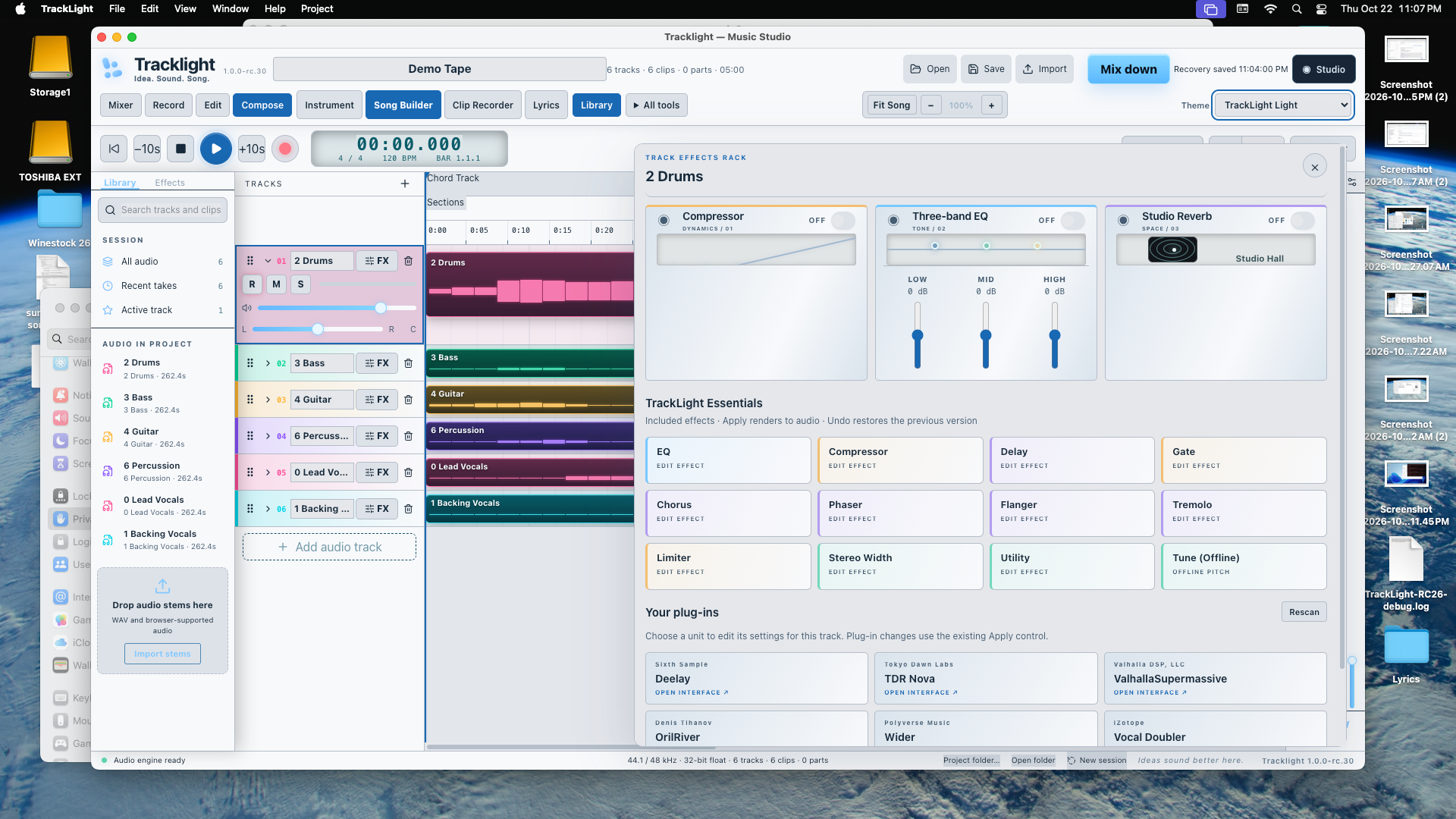
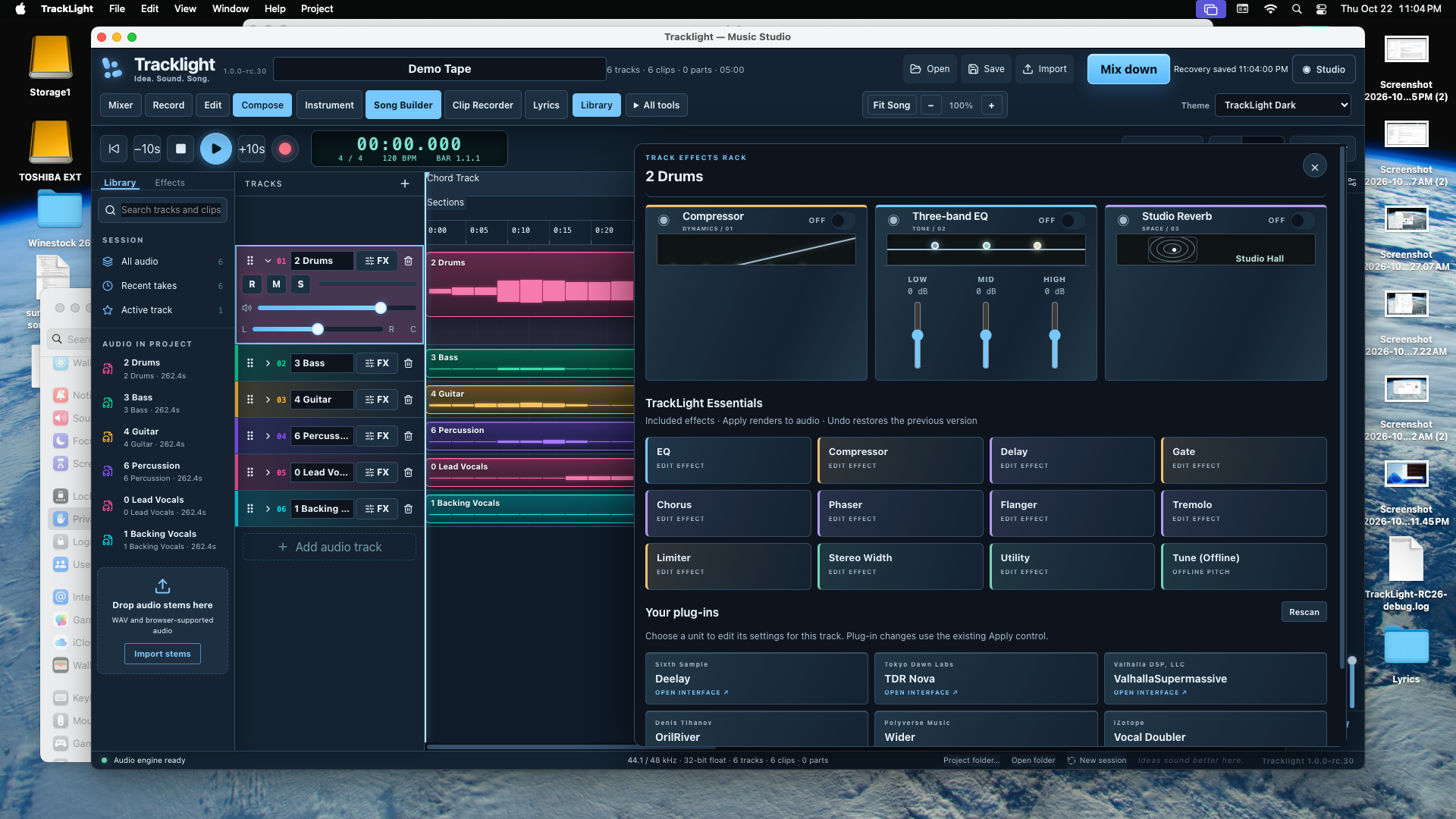
Reach for EQ, compression and reverb close to the track. Shape the tone and space around a performance.
Use compatible third-party effects in your workflow. Consult the plugin test notes for specific results and platform context.
Try loops and develop sections in the timeline as the structure of the song begins to emerge.
Move between the words, the parts and the arrangement without treating every stage as a separate project.
Bring the tracks together and export audio when you are ready to take the song beyond your studio.
Choose the visual presentation that suits your screen and working environment. See both themes in the supplied R30 captures.
Autosave and recovery workflows are part of TrackLight’s development, helping you return to the work when a session is interrupted.
Keep recorded performances, MIDI, loops and the final arrangement in one creative workspace.
STAY IN THE CREATIVE MOMENT
A great performance does not always arrive as a perfect take. Get closer to the waveform, listen to the passage and shape the edit while keeping the rest of the song in view.
Get a retail-launch alert ↗FROM IDEA TO PERFORMANCE
Record an instrument or bring in a MIDI performance.
Refine the take and find the sound that supports the song.
Develop the arrangement, lyrics and musical structure.
Mix the session and export the result.
The feature breakdown
Made by musicians for musicians
Start with guitar and a guide vocal. Build the rhythm around the performance, add MIDI keys, and send a mix to the band.
Audition a loop or import a Drum Machine pattern. Build the verse and chorus, then swap in live parts as the song takes shape.
Keep the lyrics close, record your passes, and tidy the waveform before you move into the mix.
NOVEMBER 2026 DEVELOPMENT UPDATE
RC33 Intel Mac testing has covered audio and MIDI, instrument recording, Song Builder, drum-pattern insertion, and saving projects. Guitar recordings were tested with stereo output, and bass recordings were tested in mono. Stem Splitter is now deliberately a separate application: import its WAV files as tracks without adding its AI engine to the DAW download.
These are active development and beta-testing capabilities, not a retail availability announcement. Product-specific installers, serial activation, platform compatibility and updates must be verified before launch.
Get product launch updates ↗BE FIRST TO HEAR
Get an email when TrackLight DAW becomes available for retail purchase. We’ll also send relevant launch and availability updates for this product.
No purchase or beta application required. Pricing and release dates will be announced when confirmed.
TAKE A CLOSER LOOK
BEFORE YOU BEGIN
Apply for the beta program. Selected testers receive an invitation with the builds and access instructions available to them.
TrackLight includes VST3 hosting workflows. Check the plugin test notes for specific results; compatibility depends on your system, plugin version and application build.
Yes. The R30 screenshots on this page show TrackLight in use, including the audio editor, effects rack and light theme.