Make room for a quick idea
Open the instrument on its own when you want to play, practice or explore a sound without preparing a complete recording session.

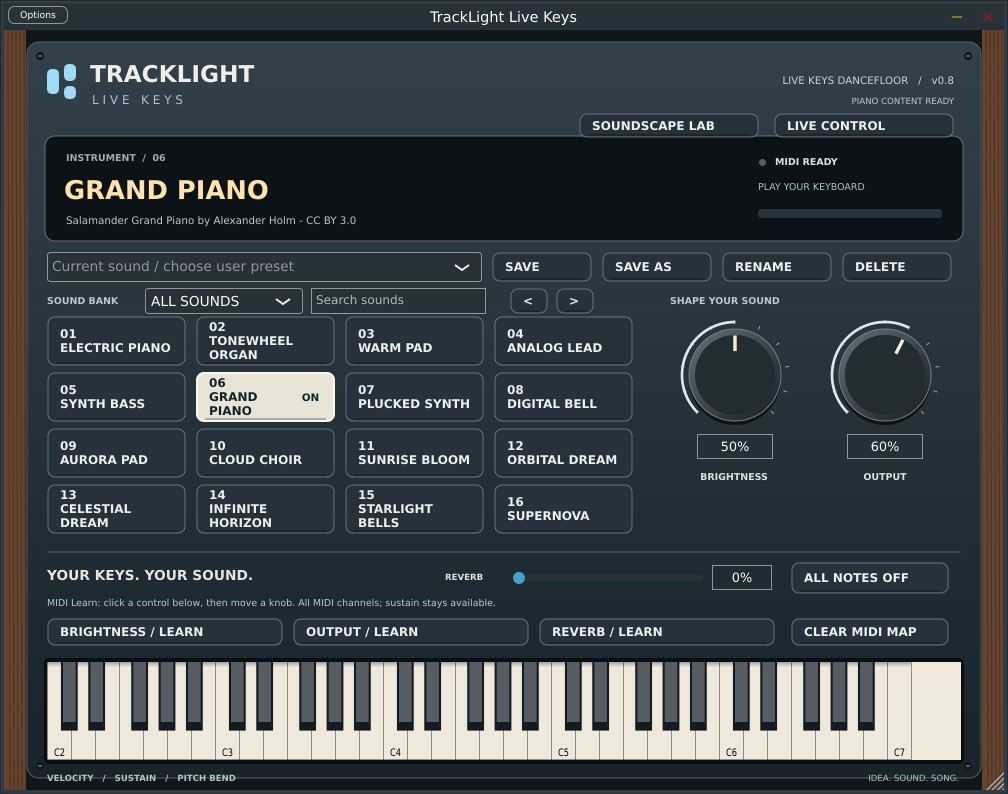 Actual development screenshot
PLAY. SHAPE. CREATE.
Sit down at your MIDI keyboard and find a sound worth writing with. Start with a piano or electric keys, build atmosphere with Soundscapes, or move the track with a Dancefloor patch. Play standalone or record your performance through the VST3 instrument workflow.
Standalone and VST3 instrument builds are in development testing. The Grand Piano has been auditioned in a playable prototype, and the final retail library is still taking shape.
Release timing, pricing and final requirements will be announced when confirmed.
MAKE IT PART OF YOUR CREATIVE WORKFLOW
A focused keyboard instrument for playing and recording. Choose a sound, explore the phrase and bring your performance into the song—with standalone and plugin workflows being developed together.
TAKE A CLOSER LOOK
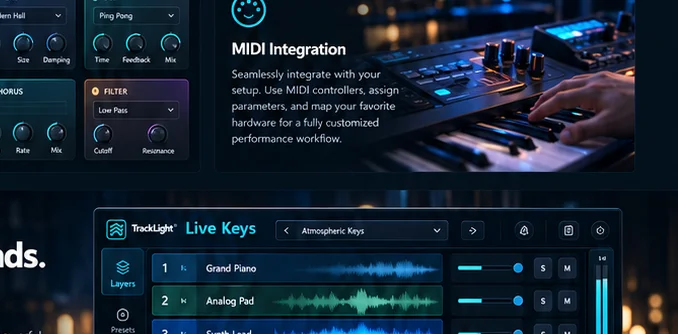
Open an image for a closer look. Development screenshots show the build as captured; the release interface may evolve.
View larger ↗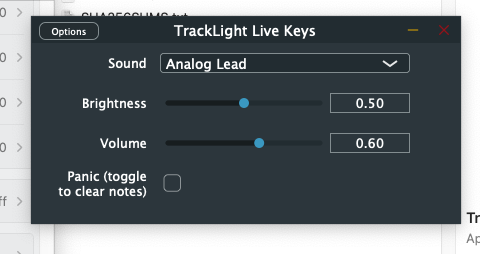 View larger ↗
 View larger ↗
THE TOOLS BEHIND THE MUSIC
Explore the features and workflows in the current product direction. Retail specifications will be confirmed before launch.
Open the instrument on its own when you want to play, practice or explore a sound without preparing a complete recording session.
The plugin workflow is being tested inside TrackLight DAW so a keyboard performance can become part of a larger project.
The current stage-interface prototype includes an electric-piano sound for exploring warm keyboard parts.
The current sound bank includes a tonewheel-organ option, offering a different starting point for the performance.
A sustained pad voice gives you space to explore chords, atmosphere and the shape of a song.
An analog-lead sound is part of the prototype’s focused sound bank.
Explore bass phrases from the keyboard with a dedicated synth-bass voice in the current sound bank.
An approachable tone control keeps sound adjustment close to the selected instrument.
A clearly labeled output control helps you balance the instrument as you play.
The stage interface includes clickable keys for auditioning a sound.
Velocity, sustain and pitch-bend workflows are part of the instrument’s development and testing.
The current stage interface provides a prominent All Notes Off control.
The playable Grand Piano prototype has been auditioned. The team continues to refine it and test the final library.
Let me know when TrackLight Live – Keys is available to buy ↗
STAY IN THE CREATIVE MOMENT
Large sound choices, clear controls and a playable keyboard keep the current stage interface focused on the musical idea. The prototype is evolving through real playing and recording tests.
Get a retail-launch alert ↗FROM IDEA TO PERFORMANCE
Select your MIDI keyboard and audio setup.
Start with an instrument in the sound bank.
Adjust brightness and output around the performance.
Explore the plugin workflow as part of a TrackLight project.
The feature breakdown
Made by musicians for musicians
Sketch the progression on piano, then audition a pad or organ against the same harmony.
Start with a sustained Soundscape and let its movement guide the pace of the part.
Pair a Dancefloor patch with a Drum Machine groove and record the part into the DAW.
NOVEMBER 2026 DEVELOPMENT UPDATE
Live Keys has passed practical Intel Mac tests as a standalone instrument and a VST3 instrument inside TrackLight DAW. Tested sounds include grand piano, synthesizers, Soundscapes and dance-oriented patches. Sound-library refinement and broader platform QA continue.
These are active development and beta-testing capabilities, not a retail availability announcement. Product-specific installers, serial activation, platform compatibility and updates must be verified before launch.
Get product launch updates ↗BE FIRST TO HEAR
Get an email when TrackLight Live – Keys becomes available for retail purchase. We’ll also send relevant launch and availability updates for this product.
No purchase or beta application required. Pricing and release dates will be announced when confirmed.
TAKE A CLOSER LOOK
BEFORE YOU BEGIN
Yes. Live Keys is the short product name used here for the TrackLight Live Synth Keys project.
Standalone and plugin prototypes are being tested. Sound selection, platform support, pricing and release scope are not final.
A playable Grand Piano prototype has passed an initial musician audition. Continued testing and final release-quality validation are still underway.
The artwork explores a possible future interface. Keyboard layers and splits are not confirmed for the first release.
NEW FROM THE SOUND DESIGN LAB
A playable grand-piano sound tested in the standalone instrument and plugin workflow.
Evolving cinematic textures and chord-following synth patterns, with tempo, gate and Hold controls.
House, techno, trance and pop-ready synths that follow the notes you play. Forty-two sounds are available in the development library.