16, 32 or 64 steps
Make a one-bar groove or stretch your idea across four bars. Edit one uncluttered bar at a time.

MAKE A BEAT. MAKE A SONG.
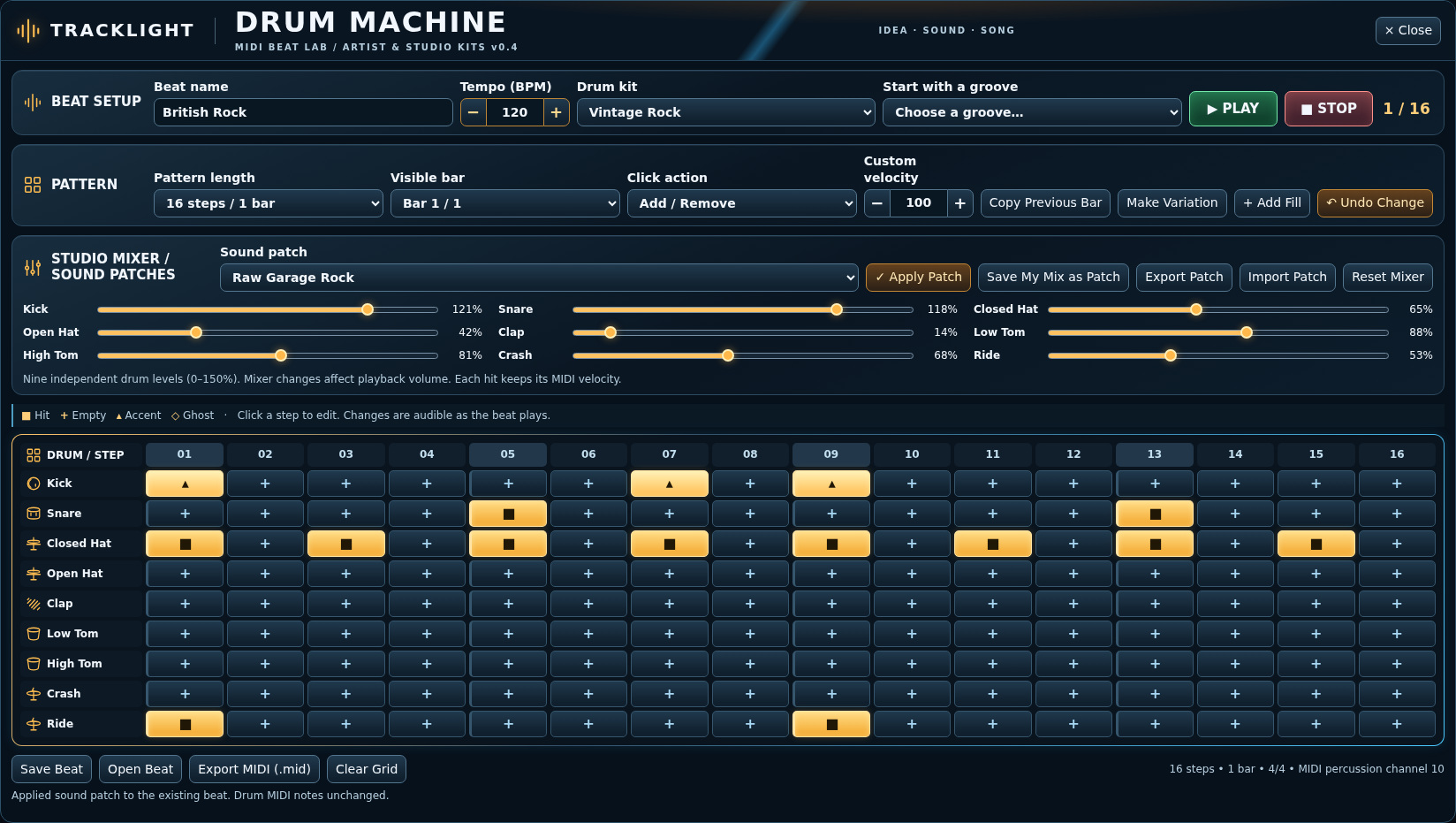
Set the tempo and build the beat one hit at a time. Hear the pattern as you work, change the kit or mix to fit the track, and export the groove as editable MIDI when the song is ready for it.
The playable prototype is in development testing. Full-song arranging, DAW tempo integration, and footboard performance are on the roadmap.
Release timing, pricing and final system requirements have not been announced.
MADE FOR MUSIC IN THE MOMENT
Build a beat one square at a time with editable MIDI, sampled drum kits, a nine-channel mixer, fills and variations. A working prototype is in musician testing; retail availability has not been announced.
WHAT MAKES IT TRACKLIGHT
Make a one-bar groove or stretch your idea across four bars. Edit one uncluttered bar at a time.
Electronic, Acoustic, EDM, Jazz, Vintage Rock, Modern Pop and New Wave. The newer kits reuse curated CC0 recordings with different processing and mixes.
Balance kick, snare, hats, toms, cymbals and clap on nine independent level controls, then save and export your sound patch.
Choose a starter groove, paint accents and ghost hits, add a fill or variation, and export an editable MIDI pattern.
Undo edits, reopen saved beat files, and keep existing MIDI note velocities when changing kits.
Full song arranging, DAW tempo integration and footboard-driven performance are planned, not included in the current prototype.
FROM THE DEVELOPMENT STUDIO
The Mac and Windows browser-based test builds have passed automated checks and received hands-on musician feedback. This is not yet a retail installer or completed song arranger.
Sample content is licensed for distribution. Exact release kit lineup and commercial requirements remain subject to testing.
The feature breakdown
Made by musicians for musicians
Set a tempo, choose a kit, and create a kick and snare foundation for a guitar or keyboard idea.
Build a steady pattern and a related variation with a fill leading into the chorus.
Export editable MIDI, choose your session’s drum sounds, and extend the arrangement around the groove.
Yes. The export is editable MIDI. Assign a drum instrument in your DAW to choose the kit that plays those notes.
The prototype supports 16-, 32-, and 64-step patterns. Full-song arrangement is on the roadmap.
Use per-drum volume controls to balance the groove and save a mixer patch when you find a mix you want to recall.
NOVEMBER 2026 DEVELOPMENT UPDATE
Recent Intel Mac tests passed pattern repeat counts, append-to-end placement, editing duplicated beats, and replacing a selected section with a fill while preserving timing. The current product direction is a practical step sequencer that can move ideas into the DAW without making musicians calculate exact timestamps.
These are active development and beta-testing capabilities, not a retail availability announcement. Product-specific installers, serial activation, platform compatibility and updates must be verified before launch.
Get product launch updates ↗BE FIRST TO HEAR
Get an email when TrackLight Drum Machine is ready for retail availability. We will also send relevant availability updates for this product.
No purchase required. Pricing, release date and supported platforms will be announced when confirmed.
KEEP CREATING