Start with the character
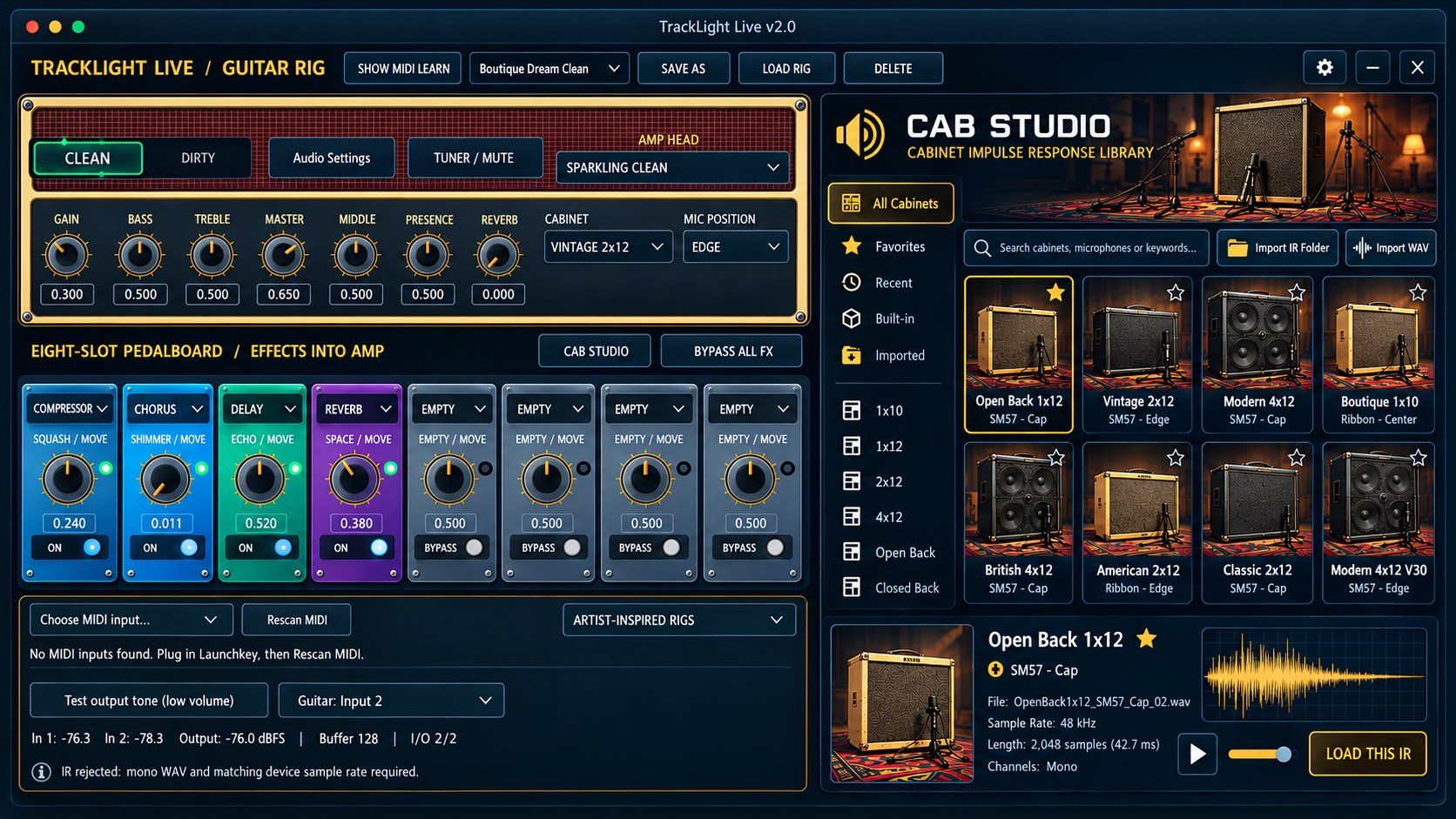
Shape the amp’s gain and tone controls as you explore clean, driven and heavier playing sounds.

YOUR GUITAR. YOUR SOUND.
Plug in your guitar and build a sound you want to keep playing. Shape the amp and cabinet, add effects, save your patch, and put the controls you reach for most under your feet.
Standalone and VST3 workflows are being tested. Check the product roadmap for build status and use the launch alert for retail availability.
Release timing, pricing and final requirements will be announced when confirmed.
MAKE IT PART OF YOUR CREATIVE WORKFLOW
An amp, cabinet and effects workspace focused on your guitar. Explore the character of a sound, build a playing setup and spend more of the session with your hands on the instrument.
TAKE A CLOSER LOOK
Take a closer look at the amp, pedalboard and cabinet browser. The gallery also includes separate concept artwork.
View larger ↗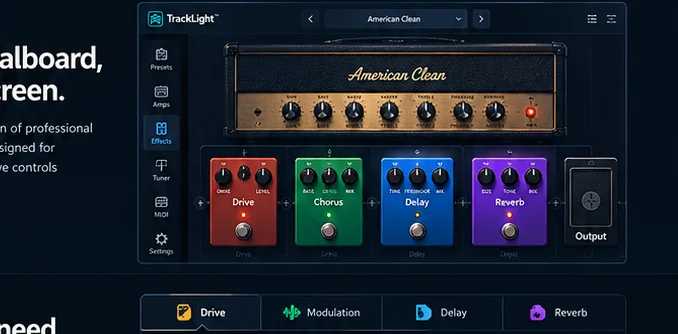 View larger ↗
THE TOOLS BEHIND THE MUSIC
Explore the features and workflows in the current product direction. Retail specifications will be confirmed before launch.
Shape the amp’s gain and tone controls as you explore clean, driven and heavier playing sounds.
Cabinet choices help shape the texture and response around the amp. Explore the voicing that fits the part.
Load compatible cabinet IRs as part of your sound-building workflow. Availability and supported formats follow the current application build.
Explore gain and saturation for rhythm parts, more assertive riffs and expressive lead ideas.
Develop a sound with modulation choices rather than leaving every part in the same tonal space.
Use echoes and ambience to give a part width, depth or a sense of place.
A dedicated note and tuning display supports the playing workflow between takes and parts.
Develop tones you can revisit as you rehearse, practice or work on a recording.
Expression control is part of Live Guitar’s testing. Visual footboard assignments and controller layouts are still in development.
Focus on the guitar rig without constructing a whole DAW session just to work on a tone.
Let me know when TrackLight Live – Guitar is available to buy ↗
STAY IN THE CREATIVE MOMENT
A dedicated workspace makes it easier to focus on how the guitar feels and sounds. Explore the rig as a connected whole, from the amp character to the space around the notes.
Get a retail-launch alert ↗FROM IDEA TO PERFORMANCE
Choose your guitar input and listening output.
Explore the amp, cabinet and effects around your part.
Practice the phrase or develop the sound for a song.
Revisit your setup as the performance develops.
The feature breakdown
Made by musicians for musicians
Save a rhythm patch, then make a lead variation that you can recall while you keep playing.
Load the track, set the backing level, and work through the transitions with your footboard.
Use the supported plugin workflow when you want your guitar sound close to the arrangement.
NOVEMBER 2026 DEVELOPMENT UPDATE
Intel Mac guitar-tone, MIDI control, cabinet impulse responses and processed recording have passed practical musician testing. A compatible footboard can map switches and expression pedals, and the DAW records the processed performance. Windows audio latency and driver combinations are still undergoing separate hardware QA.
These are active development and beta-testing capabilities, not a retail availability announcement. Product-specific installers, serial activation, platform compatibility and updates must be verified before launch.
Get product launch updates ↗BE FIRST TO HEAR
Get an email when TrackLight Live – Guitar becomes available for retail purchase. We’ll also send relevant launch and availability updates for this product.
No purchase or beta application required. Pricing and release dates will be announced when confirmed.
TAKE A CLOSER LOOK
BEFORE YOU BEGIN
Retail availability and pricing have not been announced. Follow development for release and testing updates.
Use a suitable audio interface connected to your computer, then choose the input and output in the application. Begin at a low listening level.
The packaging and interface illustration is concept artwork from our storefront exploration. It is presented separately from the real TrackLight DAW screenshots.
Visual controller layouts and assignment improvements are still being developed and hardware-tested. They are not a general compatibility guarantee.
TESTED WITH REAL PLAYERS
Load a backing track, play, stop, rewind or fast-forward from a mapped MIDI footboard. A/B looping and playback-speed controls are in development testing.
Explore guitar amp and cabinet character, patch switching, expression pedals and a visual footboard assignment workflow.
Planned: named and dated shows with per-song patches and notes, lyrics, chords, footswitch mapping and a tablet stage view. Not yet part of the current application.